Volunteer Pipeline Tracking
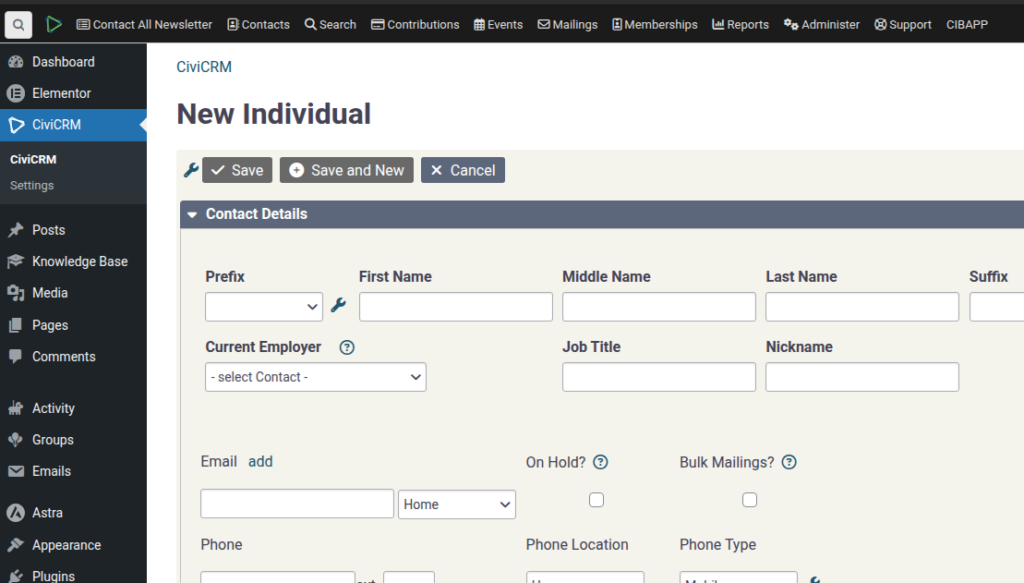
SPEAKER_00 (00:01 – 00:33): Okay, I want to show you how the volunteer status pipeline works and how we can use that to track the health of our volunteer pipeline or funnel. So let’s start with if we have a contact here that has flagged themselves as a volunteer. The first thing you’ll notice is that we’ve configured…
SPEAKER_00 (00:36 – 00:47): There’s a plug-in called Field Tracking, which creates a volunteer status activity. And you’ll notice that it’s open.
SPEAKER_00 (00:49 – 00:59): The next step is that they, through an induction form, for example here, or through some other process, you mark that.
SPEAKER_00 (01:02 – 01:26): Lead as Inducted. And you’ll go into here and you’ll see… If we refresh it, we’ll see that the Lead status is completed now and that it was… that person was a Lead for one minute. And that now that they are… now that there’s a new one, that they’re inducted.
SPEAKER_00 (01:28 – 01:41): So in that way we can track how long someone’s a lead, how long someone’s inducted. OK, the next step I guess is we need to know, OK, this volunteer is now active.
SPEAKER_00 (01:43 – 02:16): So at the moment there’s two ways of that happening. So if this person were to attend an event, Here we sign them up for an event and then through some sort of process you mark them as having attended. So we mark them as attended and there is a rule that will now, hopefully, flag them as active.
SPEAKER_00 (02:17 – 02:44): So you can configure that rule, you can change that rule yourself if you’re an administrator. That’s this one here. Mark volunteers active when an event is attended. The rule about that is that the flag was active if they were previously a lead inducted, lost or inactive. We don’t want to change leaders back to being active and not volunteers either.
SPEAKER_00 (02:45 – 03:15): But you can change that. The other process is through the Civi volunteer system. This is probably more for internal road siding and things like that. So let’s create a quick event here for road siding, let’s call it. We’re just going to open up one position for road siding on Thursday for 30 minutes.
SPEAKER_00 (03:17 – 03:33): There’s probably another video about this where you can look at it. First things first, we’re going to assign… Actually, before we do that, let’s just create a new contact to assign to it. So we’ll call it test2.
SPEAKER_00 (03:34 – 03:47): And we’ll assume that they’ve gone through all of the processes, that they’re inducted, but they haven’t attended events yet. So there we go. Test 3, let’s assign that person.
SPEAKER_00 (03:51 – 04:49): Test 2, and we’ve… Okay, so they’re now scheduled to attend to this. You can see the roster that they’re scheduled to come. Log and we can log them out how much time they spent. They spent 30 minutes and they’ve completed, and this is the important thing, they have completed the volunteering. So we save that and importantly you can see here the fact that they’ve volunteered and they’ve completed it. You can also change it through here. But if we go back here and we refresh this, in theory, yay, it has marked as active. And that’s the same kind of system as the other one. And you can do this, I guess, with other mechanisms. You can build your own rules that do that. So like the other one,
SPEAKER_00 (04:50 – 05:08): as long as the activity type, which is the type of activity here, is a volunteer, it’s the same sort of logic as before, and… and the status was marked as complete, then we want to mark the volunteer as active.
SPEAKER_00 (05:11 – 05:22): Alright, now what do we do with this information? Let’s go to All Reports and we’ve created a field tracking funnel report.
SPEAKER_00 (05:24 – 06:02): And you can run this and it will report how many people you’ve got as a lead, have been a lead in the past, how many are currently in lead status. So you can go in here and probably we should make this a little bit more, make this drills down a bit nicer, but you can see there’s one person in lead, one person as currently Assigned as a lead.
SPEAKER_00 (06:07 – 06:41): We can see that we’ve had six conversions, we’ve converted most of them, and this will do what’s the average number of days that people are in the lead status, or what’s the maximum amount of days in lead status. and Stagnation, or Stale, that means how many have been stuck in this status for, I think, more than 30 days, if I’m not mistaken.
SPEAKER_00 (06:43 – 06:55): We might work on this report a bit, it could be a little bit better. But you can also add a few filters on here if you want to check more recent data, etc.
SPEAKER_00 (06:57 – 06:58): I hope that helps.