Survey Workflows: Phonebanking, etc
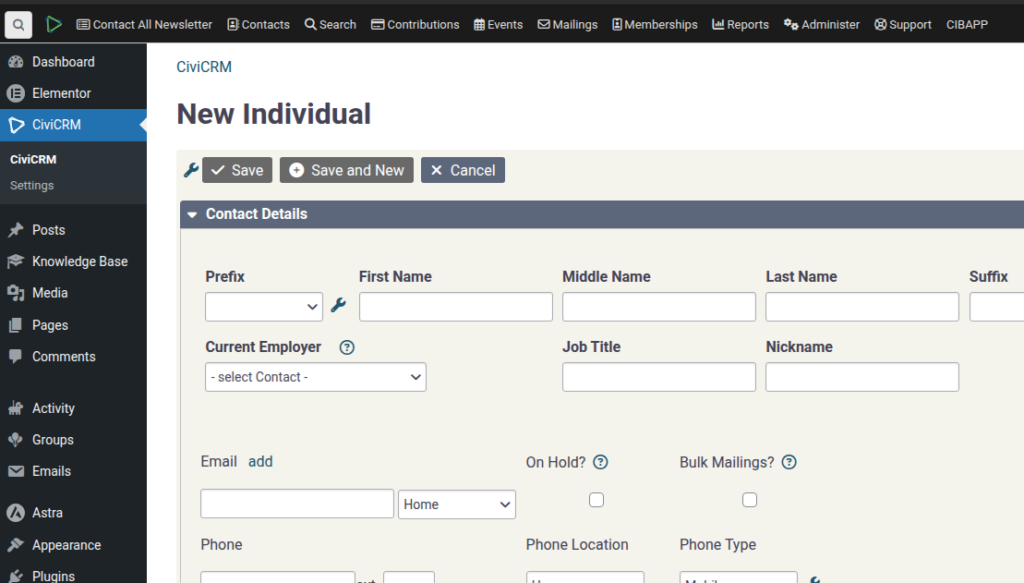
SPEAKER_00 (00:01 – 00:33): I want to introduce you to the survey system from Campion and Vox. So, a survey is a way of collecting one or more pieces of information from your contacts without needing people to have access to seeing all of the details from your contacts. So let’s set up a quick one. Let’s do a phone banking one. So this
SPEAKER_00 (00:33 – 01:07): is where people are going to call up and they’re going to ask a question of someone and you want to put that information into your contact. So let’s do a phone banking one here. You can put some information in it. You can limit how many people They can reserve it at a time. That will make more sense later. Okay, we continue. And the next thing we’re going to do is…
SPEAKER_00 (01:08 – 01:49): These are the questions we’re going to ask them. So the contact information, if you can allow them, of course, to update some details, the first name, last name. And then the questions we’re going to ask. So the questions we’re going to ask… Let’s just save this. We’ll come back to this in a second. So under here, under Profiles, we’re going to create a new profile. Unless there’s one there that you want to use. We’ll just call it Test for now. And this is going to be the list of questions or fields that you’re going to fill in. So if the field that
SPEAKER_00 (01:49 – 02:03): you’re filling in already exists, then great. But also, The question could be something you can create a custom field for that. So let’s say that the…
SPEAKER_00 (02:06 – 02:24): We’re just going to call people and say, you know, and fill in what volunteering things they might be interested in. OK, so we’ll save that. So back to the survey, and then we should be able to choose that one.
SPEAKER_00 (02:38 – 03:09): I chose it from the volunteer section. You should choose from the individual or the specialized field. So you should do it from this one here. So let’s just do the volunteer interested.
SPEAKER_00 (03:12 – 03:51): And I think now if we go back to the survey, it should be in the drop-down. Finally, when you conduct the survey, you have a number of answers that you can give. You can say OK, or no answer, for example, or even not interested. These are the three answers.
SPEAKER_00 (03:53 – 04:31): I’m just going to create one, a couple, just quickly create a chest here of someone that we’re going to call and So under Campaign we’re going to conduct a survey.
SPEAKER_00 (04:34 – 04:49): So we’re going to conduct the survey and the interviewer is going to be this. I just can’t choose myself. I think that’s my username.
SPEAKER_00 (04:52 – 05:24): And you can filter who you want to search for. So you could, maybe it would be easier to set up a group of who you’re going to interview or to filter it. So there you go. Here’s the people. And I think there’s another screen where you can do it. do a batch reservation. But we’re going to reserve these two,
SPEAKER_00 (05:26 – 06:05): and then we’re going to start interviewing. So this is a little bit, maybe not the best question because there’s such a huge amount of answers. But for this one we can say, oh actually that name is Bem, BK, And they are interested in… I don’t know… What am I… Probably… Website. I don’t know. Okay. And now we record the response. Now, if we can come back later… So that’s…
SPEAKER_00 (06:07 – 06:45): Then that one is done. So let’s come back into it and we can see that… This is a different user, that’s the next respondent. So then this one, let’s get your email address, so we’ll fill that in, and you are interested in graphic design, or not interested. And you can also write a note there. I didn’t actually answer the result before,
SPEAKER_00 (06:46 – 07:27): release, you update it. You can also release this user, which means that you don’t do it and it goes back into the pool that people can reserve. Okay? So that way you can… The great thing about this is if you’re doing phone banking and you have 10 different people, they can just come in here, they can grab a few, they can call them, they can keep them alight, sort of open until they’ve completed their handful and go and grab more. If they don’t get through their list, they can reserve them, etc.
SPEAKER_00 (07:28 – 07:56): Alright, so you’re done. Let’s go and have a look at these contacts. So you’ll see first, so there’s the two that we did. The second one, so under activity you can see the actual What happened with the phone banking? So as you recall, the second one, I think I said, not interested, right? If you click on here, you can see that they’re not interested. That’s the answer that is given to that.
SPEAKER_00 (07:59 – 08:22): And I think, didn’t I put an email address? Here’s the email address that I filled in for that user. And on this first one, I said website notism. and that’s how you can fill in just one or two fields. It’s a great workflow.
SPEAKER_00 (08:24 – 08:48): This, I think, could also work for other mechanisms like workflows for Core Flutes. You can see what sort of suggestions they have here. Phone banking, walk lists, canvassing, I don’t know. I hope that makes sense.
SPEAKER_00 (08:50 – 09:01): I will… Oh, one last thing. Under Reports, click on All Reports and you will see the Phone Banking Reports. This is the one.
SPEAKER_00 (09:03 – 09:42): So when we created that survey, go back into Dashboard, you can see the survey that we created Under Reports you can click on Results. For some reason the results by default choose Reserved, meaning It hasn’t
SPEAKER_00 (09:42 – 10:03): been completed yet. So if you want to see the responses, you need to go to filters and change it to the interviewed ones. And then you should be able to see that there were two answers. One was I’m not interested in and one was the website support one.
SPEAKER_00 (10:08 – 10:09): I hope that makes sense.