Importing data (from Nationbuilder)
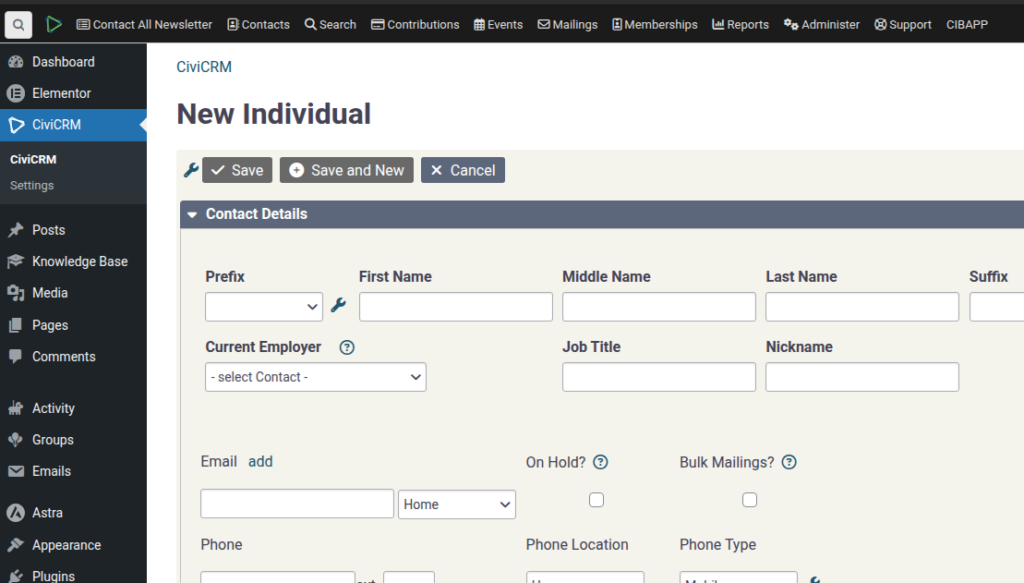
SPEAKER_00 (00:01 – 00:34): OK, I want to show you how to use… how to import data from NationBuilder. So under your People tab here, you run Export, and when you do that, you just export all fields, and you’ll get a download, so you download the file, and then in your Install, you’re going to go to Contacts and Import Contacts and choose
SPEAKER_00 (00:34 – 00:46): the file. I’ve created one here, so I’ve just taken one and reduced it. This is what it looks like. Just for demonstration purposes, I’ve duplicated the first one.
SPEAKER_00 (00:48 – 01:12): You will have to… This will not be enough for you to do like a proper installer. I’ll explain as we go along what that means. So, we’re going to import them as individuals. You can import them as… you can create subtypes if you want.
SPEAKER_00 (01:14 – 01:39): Whether you’re doing any duplicate matching, you can like, you know, Did you based on an email address? But if you have duplicates, then it’s going to skip them. So you probably don’t want to do that. You can do that later, actually, probably better. And then under Save Field Mapping, we’ve created a NationBuilder mapping.
SPEAKER_00 (01:41 – 01:53): Just so you know, this relies on the field order. So if you reorder two of them, to these fields, this is not going to work.
SPEAKER_00 (01:55 – 02:33): So if you need to add a new column, put it at the end. So it’s hopefully reasonably good to start with. So basically down this left side are all your NationBuilder fields and where they’re going to go in NationBuilder into CiviCRM. So I think I’ve done a fairly good job of setting it all up. One of the problems is that the email opt-in does not match the logic in our system. So the first thing you’re going to have to
SPEAKER_00 (02:33 – 02:57): do is create a new column at the end called email opt-in, which is what we have in Nationable. You’re going to have to do email opt-out, and then you say if And then you have to find the column and do a little bit of email. Where is it?
SPEAKER_00 (03:01 – 03:21): Email, email, email, email. Opt in. Here we go. So if that is true, then we do false. Else true. That one equals one…
SPEAKER_00 (03:23 – 03:34): See? So then it’s the opposite. So if we do email… So if we opt out the second one, then hopefully…
SPEAKER_00 (03:35 – 03:58): No, it’s not happy with that. We’ve used that, I guess. Nope. Ah! Sorry, sorry, sorry. Have we got that now? Yep, there we go. See? So that’s how it works. So then you would import that and then you would have to set that.
SPEAKER_00 (04:00 – 04:22): You will get another field down the end here and then import that as email do not. The email opt-out as do not import. Does that make sense? Okay. Alright, so you’re done with that. I think I… Time to import that. Alright. Continue.
SPEAKER_00 (04:29 – 05:05): Preview and import now. Okay, so, if we get all contacts, you’ll see that we’ve got these three things. Oops, it looks like that it did de-duplicate. So my statement about it not de-duplicating was wrong, or I said it wrong, I can’t remember. Alright, so the next step would be normally to check, now you
SPEAKER_00 (05:05 – 05:36): can go through and check duplicates, so you can go use rule here and that will show you any email duplicates. Shouldn’t be any because it already de-dupliced based on the email. Next step, at this stage you’ll probably realise that we haven’t imported all your custom data, so all the tags and stuff that you might have used need
SPEAKER_00 (05:36 – 05:55): to be mapped to here. Sorry that that’s a little bit out of scope for what we’re trying to do on this, so these sorts of things and But everyone runs NationBuilder differently, so I’m not sure I can create a video that explains exactly how to do all of those custom things.
SPEAKER_00 (06:01 – 06:20): Just so you know, you can always go and create custom fields and put your NationBuilder data in that. There’s various approaches. There’s probably going to be a lot of discussion about how to do this more efficiently, and we’ll hopefully I’ll put more information up as time goes on about the best practices.
SPEAKER_00 (06:25 – 06:50): Geocoding is probably something you want to do run next. Once you’re all happily imported, then you can run the geocoder. This can take a really long time if you have a lot of data. So the geocoder basically takes all the addresses and tries to find the exact map locations of those people.
SPEAKER_00 (06:54 – 07:19): So that’s one step. And by the way, you can then see what that data looks like. So check your assumptions here. Under Contact Mapping, once that job is done, under Contact Mapping you’ll see a contact map under search kit and then you can pull up all the addresses on the map just to verify what’s going on.
SPEAKER_00 (07:21 – 07:56): You’ll also need to do the same thing for any other types of data that you want filled in. So we’ve got the CIV mapping tool which does things like I’ve got a different video for setting up the electric mapping, so if you watch that, and then you would need to run this job here to fill in all of the geocoded data into your electric data.
SPEAKER_00 (08:00 – 08:34): You also can export all your people’s Activities, so I actually have not tested that yet, so you might want to, let’s see, is there an easy way of doing that? Under export, I might leave that one as an exercise for somebody else to figure out how to do it.
SPEAKER_00 (08:35 – 08:49): But it should be very possible to get all your data across as long as you’re using this process. Thank you.