CiviCRM based Surveys
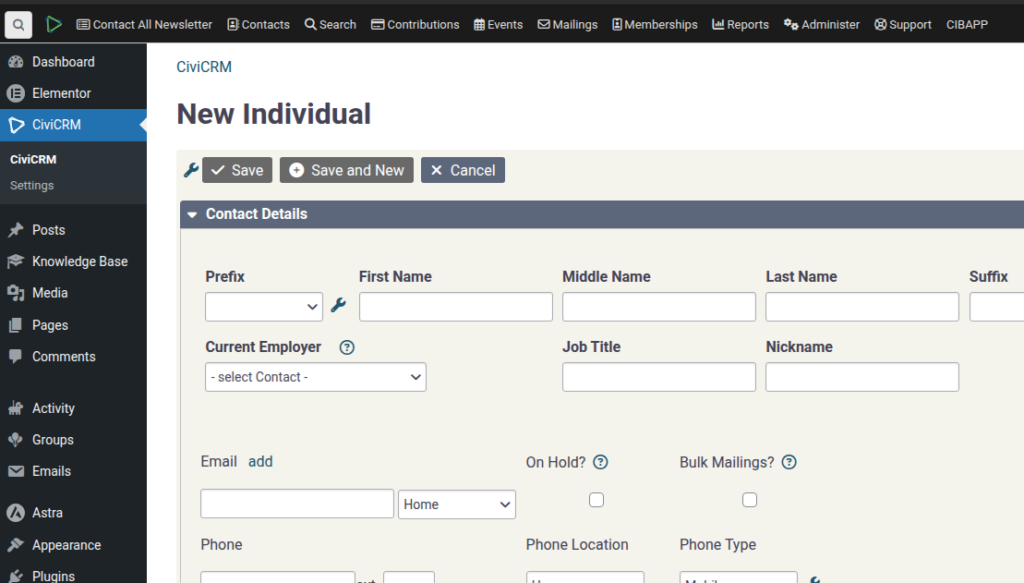
SPEAKER_00 (00:00 – 00:55): Alright, I want to introduce you to how to do a survey from within CiviCRM. So you can also use Polis, and there’s another video about that. This actually attaches the data to the contact record in CiviCRM. So to do this, we’re going to create a new custom field set, which we’re going to attach to the contact, and I’m going to collapse it on the initial display. Press save. And then you’re going to create the actual question for question 1 and you can either make it a text or a dropdown, audio buttons, or you can make it a note, date, all that sort of stuff. So let’s call it a dropdown and answer 1 and answer
SPEAKER_00 (00:55 – 01:45): 2. The value is what would be kept. in the database, so if you wanted to, like, you did a typo in the label, then the value could remain the same and it doesn’t muck up your data. You can put some notes about a field, so like pre-help, I’ll show you, and post-help, you can make it required, and let’s create that. Okay, so if you have a look at that, you can have a quick… We can preview what that will look like. See? So that’s the post-help, it pops up there, and then the pre-help is above it. Right, the next step is we need to create a form. There’s a document on how to do this
SPEAKER_00 (01:45 – 02:06): elsewhere about…let’s go show you this one here, the contact forms. There’s a video about that. So, I should have put a link on there about that.
SPEAKER_00 (02:12 – 02:51): Yeah, it’s in here, I’m pretty sure. Okay, so we’re going to need this. So we’ll come back to that. So we’re going to create a new form. I always find starting with one of these better. I’ve had problems when I don’t do that. It’s survey permission because you possibly want it public, so you want that to be anonymous. We’re going to call it survey 1. You can make it open. You can close it when you’re done, when you don’t want to receive any more. And you can say thanks.
SPEAKER_00 (02:53 – 03:09): Under the contact, you want to make this form-based otherwise you’re going to get permission errors and only create and duplicate matching so that it updates any existing customers you have.
SPEAKER_00 (03:13 – 03:32): Okay, so you’ve got email, first name, last name and then you want the block so there’s a block called Survey1Block and you can just And what that’ll do is it’ll just put everything that’s in that custom field set that we created earlier.
SPEAKER_00 (03:35 – 03:59): Hopefully that’s all. And… Okay, so now, like this, we’re going to create a new page called Survey. the name of… where is it?
SPEAKER_00 (04:03 – 04:28): Survey1 is the name of the form, so we replace that there, publish that, and if it all goes well, when we answer that, then it should If we go back to allContacts and look for my…
SPEAKER_00 (04:31 – 04:45): sorry, here, allContacts. That was the AS… hmm, I’ve got a jiblicate there, I’m not sure exactly what will happen when we do that. Let’s have a look at both of them. Not in that one, and not in that one. Interesting.
SPEAKER_00 (04:51 – 05:31): Okay, so you do need to configure update if you want people to be able to update their currently logged in user. Does that make sense? Or even if it’s not logged in, can you actually update the data as this user? If I set that to 2 and submit it, then the form here should update to 2. But if I
SPEAKER_00 (05:31 – 05:44): don’t have update, then it won’t allow me to update the current user. It’s a bit of a…not real clear, but that’s how it works. That’s pretty much all there is to it.